How Excel to Tally Mapping Software Works: A One-Click Import Guide
Learn how Excel-to-Tally mapping software works. Convert structured Excel data into Tally vouchers with one-click import using smart mapping and automation.
Introduction
Managing bulk accounting data in Excel is common, but converting that data into TallyPrime manually is slow and prone to mistakes.
That’s where Excel to Tally Mapping Software comes in.
Instead of manual entry, this system allows you to:
- Map Excel columns once
- Automate ledger allocation
- Import thousands of entries in one click
Let’s understand how this software actually works behind the scenes.
What is Excel to Tally Mapping?
Excel to Tally mapping is a process where
- Excel columns (like Date, Invoice No, GST, Amount)
- Linked (mapped) to Tally fields (Voucher, Ledger, Tax, etc.)
👉 Once mapping is done, the software automatically converts Excel data into Tally vouchers.
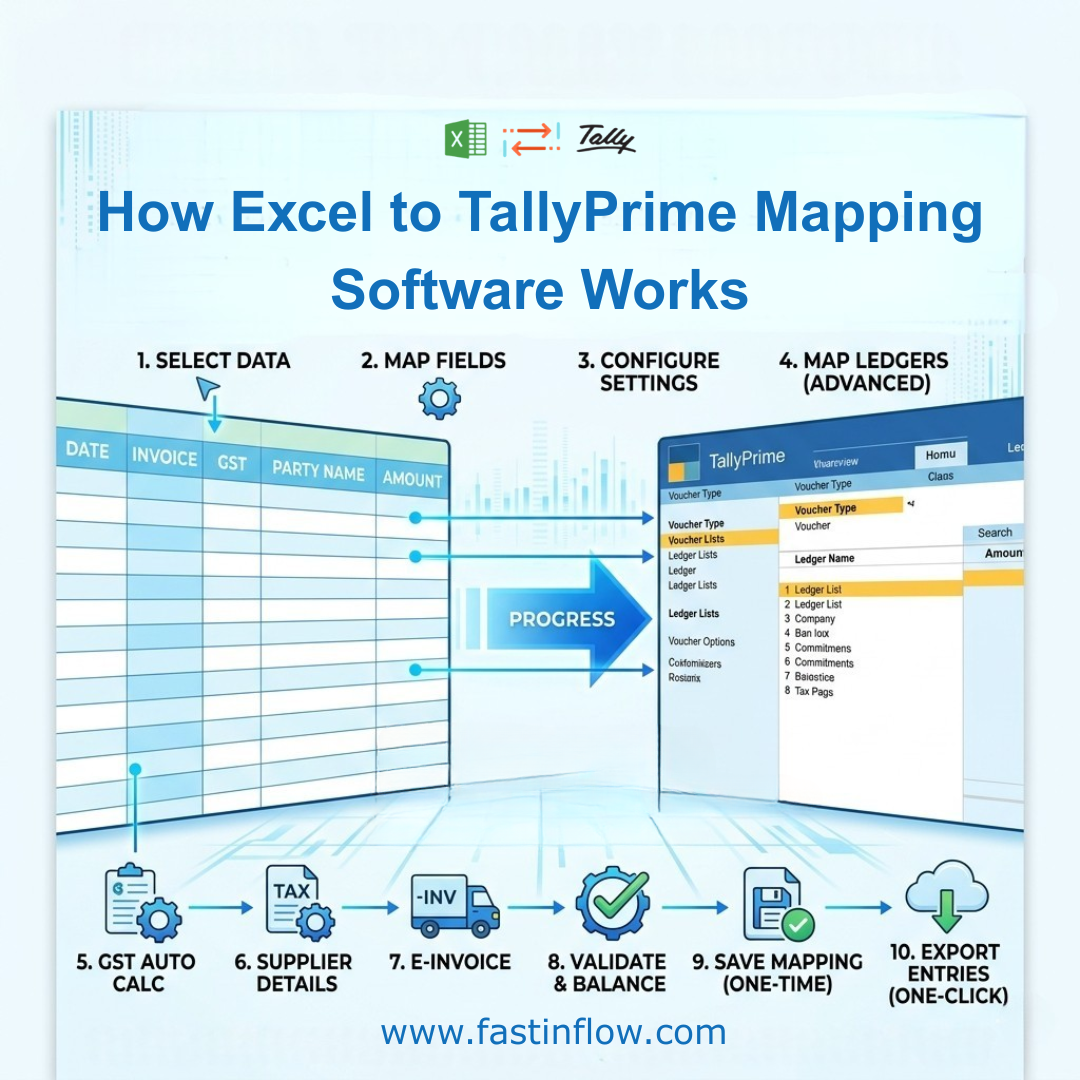
Step-by-Step: How the Software Works
Step 1: Select Your Excel Data Range
You define:
- From Row → To Row
This tells the software:
👉 Which data needs to be processed
Step 2: Map Basic Fields
You connect Excel columns to Tally fields like the following:
- Date
- Invoice Number
- GST Number
- Party Name
- Taxable Value
- GST Rate
- Narration
👉 This is the foundation of voucher creation
Step 3: Configure Voucher Settings
Using options like:
- Voucher Select
- Auto Date / Auto Period
- Reference Number
- Serial Number
👉 The software prepares data exactly as Tally expects.
Step 4: Ledger Mapping (Core Feature)
This is the most powerful part.
Section 1: Primary Ledgers
- Purchase/Sales Ledger
- Party Ledger (Cr.)
- Tax Ledgers (Input CGST, SGST, IGST)
Section 2: Advanced Ledger Handling
- Multiple ledgers (up to 18 columns)
- Rate-based or value-based calculations
Section 3: Round-Off Handling
- Automatic adjustment (Dr./Cr.)
👉 This ensures perfect voucher balancing
Step 5: GST Auto Calculation
With features like:
- Auto GST Split
- GST Rate Set
- Sale Type detection
The software:
- Automatically calculates CGST / SGST / IGST
👉 No manual GST calculation needed
Step 6: Supplier & Additional Details Mapping
You can also map:
- Supplier Name
- Address fields
- State & Place of Supply
- GST Registration Type
👉 Useful for GST compliance and reporting
Step 7: E-Invoice Integration (Advanced)
Supports:
- IRN
- Acknowledgement Number
- Ack Date
- Bill To / Ship To
👉 Makes your data future-ready for e-invoicing
Step 8: Smart Validation & Calculations
Built-in checks include:
- Highest / Lowest values
- Total matching
- Difference detection
- Round-off adjustment
👉 Ensures error-free import
Step 9: Save Mapping (One-Time Setup)
Options like:
- Create New Map
- Save Map
- Edit Map
👉 You only need to map once
👉 Reuse anytime
Step 10: One-Click Export to Tally
Final step:
👉 Click “Export Entries to Tally.”
The software:
- Converts Excel → Tally format
- Creates vouchers automatically
- Imports directly into TallyPrime
Key Features That Make This Software Powerful
✅ One-Time Mapping
No need to repeat the setup.
✅ Multi-Ledger Support
Handle complex entries easily
✅ Auto GST Calculation
Reduces errors
✅ Bulk Data Processing
Thousands of entries in seconds
✅ Data Cleaning Tools
- Date Rectify
- Fill Down
- Auto Total
✅ User-Friendly Buttons
- Save
- Clear Sheet
- Go To
- Auto Period
Why This is Better Than Manual Entry
| Manual Entry | Mapping Software |
| Time-consuming | Fast processing |
| High error risk | Accurate |
| Repetitive work | One-time setup |
| Limited scalability | Handles bulk data |
Best Use Cases
This software is ideal for:
- Accountants handling bulk entries
- GST return data conversion
- Purchase & sales data import
- Businesses using Excel for accounting
Conclusion
Excel-to-Tally mapping software simplifies one of the most complex accounting tasks—data import
With:
- Smart mapping
- Automated GST handling
- One-click export
You can convert Excel data into TallyPrime entries quickly, accurately, and efficiently.